Connecting the dock
A dock allows for extending the available ports on your laptop using the USB-C connection found on STV provided devices.
They usually have a set of USB ports, a network port, display connections and headphone/microphone combo jack. The dock also serves as a charger for your device.
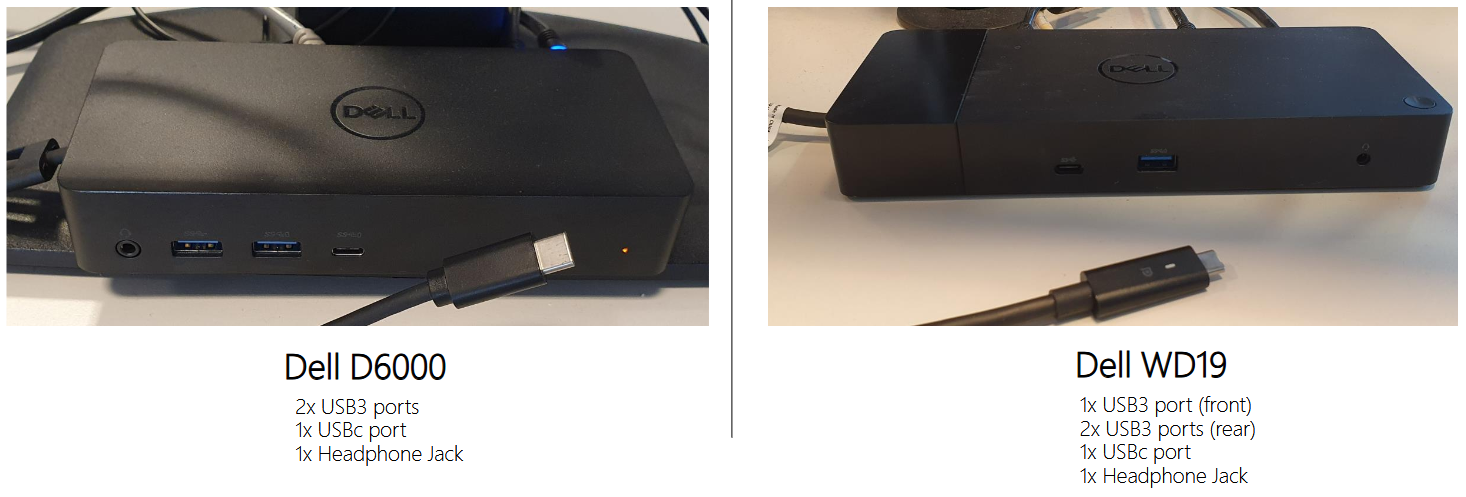
Every desk with a monitor on it should have a dock which connects to the monitor on the desk, a keyboard and a mouse.
The intended purpose is to connect your laptop to the dock for a desktop like experience.
Change display settings
There's multiple ways you can setup your display to make use of the monitor on the desk, for example, you can use the monitor in conjunction with your laptop to give you 2 displays of usable relestate.
You can also set it up to only use the monitor and use the laptop with the lid closed.
For Windows/PC devices
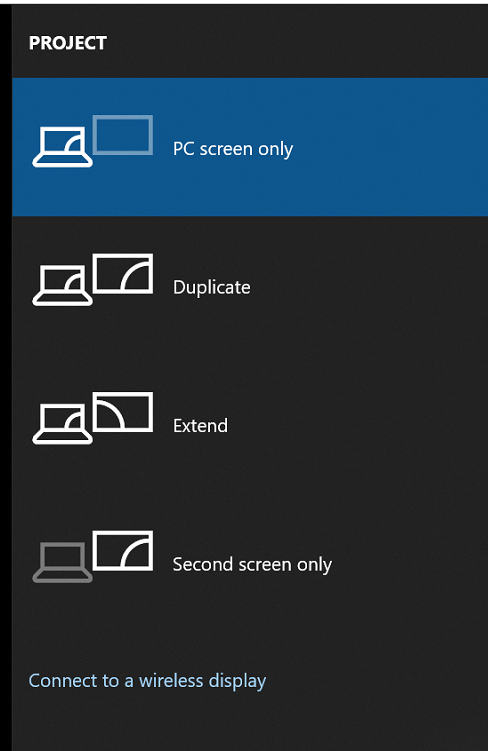
To change the settings, press the WIN + P keys on your keyboard. This will bring up a menu to allow you to change how screens are being used.
For Mac
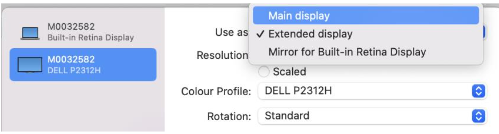
Press the "Apple logo in the top left > System Settings... > Display" and change the way you'd like to use the additional display.
Was this article helpful?
That’s Great!
Thank you for your feedback
Sorry! We couldn't be helpful
Thank you for your feedback
Feedback sent
We appreciate your effort and will try to fix the article