The VPN is used when you are working remotely to allow you to access compary resources when outside of the company network.
Every STV device comes pre-installed with the Global Protect VPN client.
In order to connect to the VPN, press on the Globe icon:
Windows | MacOS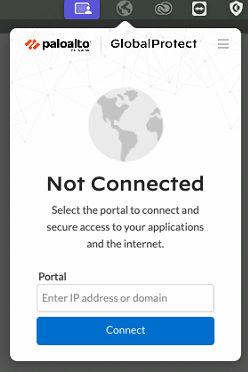 |
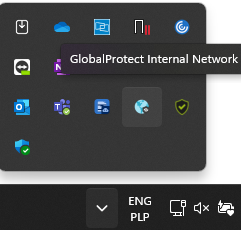
Then hit the Connect button.
This will prompt you to sign in, please use your Office365 credentials (email address + password).
After completing sign in, you should be presented with the "Connected" screen like so:
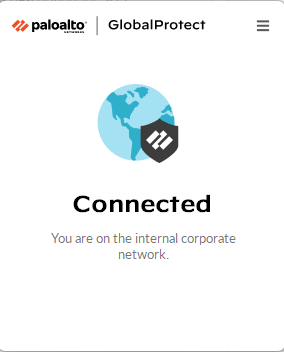
You are now connected to the VPN.
Was this article helpful?
That’s Great!
Thank you for your feedback
Sorry! We couldn't be helpful
Thank you for your feedback
Feedback sent
We appreciate your effort and will try to fix the article